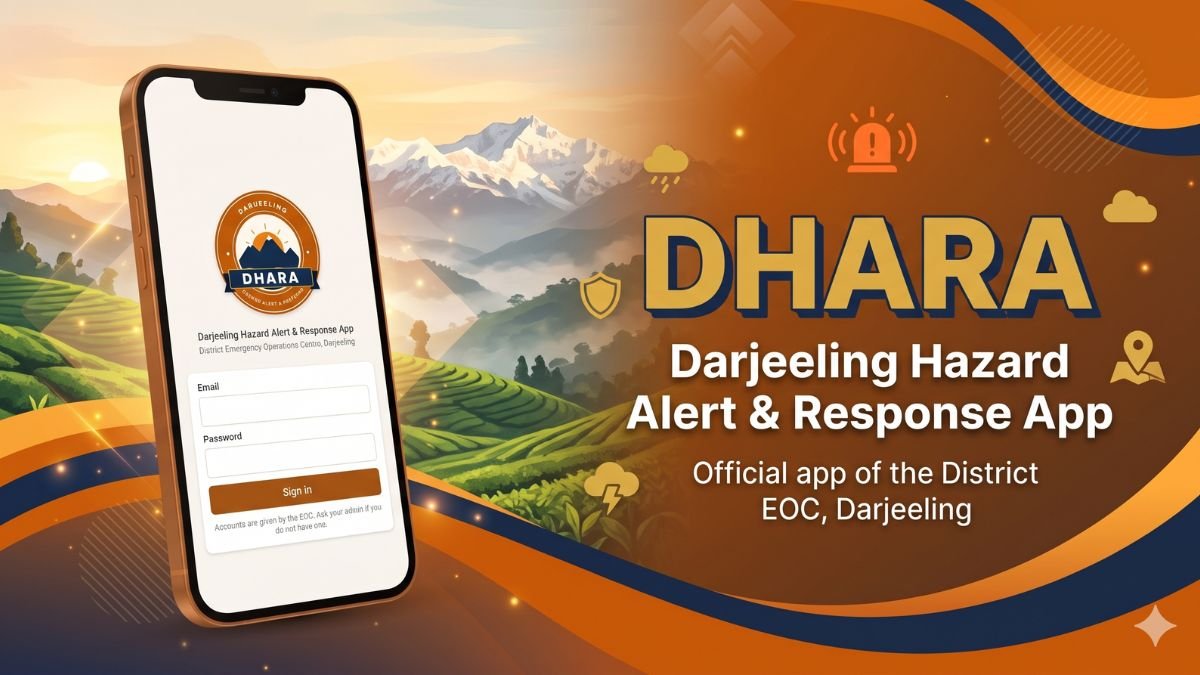
The DHARA app (Darjeeling Hazard Alert & Response App) is the new official field app of the District Emergency Operations Centre (EOC), Darjeeling. Built by the District Administration, it helps staff and officers report landslides, flash floods, road breaches and tree falls from the ground, even with no mobile signal. It was released on Google Play on 20 October 2026 and is designed for the steep, rain-prone terrain where the district’s roads, rivers and villages are most at risk. This guide explains what DHARA does, who can use it, and how it fits into India’s wider disaster-alert system.
What is the DHARA app?
DHARA stands for Darjeeling Hazard Alert & Response App. It is published on Google Play by the District Administration, Darjeeling, and works as one place where field reports go in, and EOC information and alerts come out. The listing gives the office address as the District Magistrate Office, Kutchery Premises, Lebong Cart Road, Darjeeling 734101. You can read the official listing on the DHARA page on Google Play.
The app is small (about 11 MB), needs Android 7.0 or newer, and is rated for ages 3+. The Play Store data-safety section states that no data is shared with third parties. Check the listing yourself before installing, since such declarations can change in later versions.
Why Darjeeling needs a hazard app
Darjeeling district sits on young, steep Himalayan slopes. Heavy monsoon rain regularly triggers landslides, swollen jhoras (hill streams) and road breaches, and the Teesta can rise quickly. The risk was clear in early October 2025, when intense rain caused landslides across the district. All India Radio reported more than 20 deaths, with Mirik and Sukhia Pokhri among the worst hit, the Dudhia bridge linking Siliguri and Mirik collapsing, and NH10 closed at several points.
In events like these, the first hours matter. Control rooms need to know exactly where a slide has happened, whether the road is open, single-lane or blocked, and how severe it is. Field staff often work in pockets with weak or no network. DHARA is built around that reality: capture the report, photo and location on the spot, store it on the phone, and send it when the signal returns. We have covered the district’s disaster stories before, including the Sikkim cloudburst and flash floods that affected the NH10 corridor and a landslide at Happy Valley Tea Estate.
Key features of the DHARA app
1. Report an incident
- Hazard types: landslide, flash flood, road breach, tree fall, jhora overflow and sinking zone.
- Severity and road status: mark the road as open, single lane or fully blocked.
- Location: use GPS, search for a place, or enter the road and kilometre.
- Photo: attach a picture from the site so the EOC can judge the situation.
- Works offline: with no signal, the report is saved on the phone and sent automatically when the signal returns. It can also be sent as an SMS.
2. Alerts from the EOC
The EOC sends warnings about rising rivers, heavy rain and road closures to the phone. Urgent alerts ring as priority notifications, and all alerts from the last 30 days stay in the Alerts tab, also offline.
3. My Reports
Every report you send can be tracked as not yet checked, verified or resolved, so field staff can see what the EOC has done with it.
4. Built for the hills
The app opens instantly, is light on data, and uses large, simple buttons for use in the field, which matters when you are on a wet slope with one hand free.
Ask EOC: type or speak your question
The most interesting part of DHARA is Ask EOC, which accepts typed or spoken questions in English, Hindi, Bengali and Nepali. Answers come with maps, weather and climate cards, directions and call buttons. Examples from the listing include:
- “Is NH10 open? Which roads are blocked?”
- “Landslides near Mirik today” or “incidents near me”
- “Teesta water level”
- “Weather in Kurseong, will it rain tomorrow?”
- “Any weather warning?” (official NDMA alerts and EOC river and rain alerts)
- “Last flood in Siliguri” or “landslide history of Mirik”
- “Last earthquake near Darjeeling”
- “Nearest hospital, police station or shelter”
- “What to do in a landslide or flash flood”
Questions about NH10, Mirik and Kurseong are especially useful for anyone travelling in the hills. See our own guides to Mirik and Kurseong, and our Darjeeling District Hospital OPD booking guide for the main hospital in town.
Who can use DHARA?
DHARA is for staff and officers working with the District EOC, Darjeeling. Accounts are issued by the EOC, so the general public cannot simply install the app and start filing reports. If you are a government employee or field worker who should have access, contact your EOC administrator. The Play listing gives contact@eoc.discover-darjeeling.com as the support email and +91 94340 61281 as the phone number.
In an emergency, always call 112, India’s single emergency number, rather than waiting for an app.
How to report an incident, step by step
- Open DHARA and sign in with the account issued by the EOC.
- Choose the hazard type, for example, landslide or road breach.
- Set the severity and the road status: open, single lane or fully blocked.
- Add the location by GPS, place search, or road and kilometre.
- Attach a photo from the site.
- Submit. With no signal, the report waits on your phone and sends automatically later, or you can send it by SMS.
- Open My Reports to follow whether it is verified or resolved.
Download and install
DHARA is available for Android only at the moment. Open the Google Play listing on your phone, tap Install, and sign in with your EOC-issued account. Keep notifications on so priority alerts can ring through.
Looking for a travel app instead? The same administration also publishes a tourist-facing app, covered in our Discover Darjeeling app guide.
What travellers and residents should do?
Even if you cannot use DHARA, the same habits help during the monsoon (roughly June to September) and the weeks after:
- Check road status before you leave, especially NH10 and the roads to Mirik and Sukhia Pokhri, and keep your schedule flexible. Our trip planning guide and best places to visit list alternatives.
- Follow official warnings on the NDMA SACHET portal and IMD forecasts at mausam.imd.gov.in.
- Avoid crossing streams or driving below fresh cracks, seeping water or leaning trees after heavy rain.
- Save 112 and your homestay or hotel number. If you are staying in a village, see our homestay guide.
- Heading to Sikkim? Check our Pakyong Airport timings and road conditions first.
Data sources and limits
According to the listing, DHARA draws on District EOC records, Open-Meteo weather forecasts, NDMA SACHET warnings, the USGS for earthquakes, and Wikipedia. The listing itself says that weather forecasts are model forecasts and not official IMD warnings. For background on the region, see the Darjeeling article on Wikipedia and the National Disaster Management Authority website.
About this guide: this is an independent informational article by Search Darjeeling, based on the app’s public Google Play listing and cited public sources. It is not an official publication of the District Administration. We have not used the staff login, so we describe only what the listing states. Please verify details with the EOC before relying on them.
Frequently asked questions
What is the DHARA app?
DHARA (Darjeeling Hazard Alert & Response App) is the official field app of the District EOC, Darjeeling, for reporting hazards and receiving EOC alerts.
Can tourists use the DHARA app?
No. Accounts are issued by the EOC to staff and officers. Tourists should follow official warnings and call 112 in an emergency.
Does DHARA work without internet?
Yes, for reporting. Reports made without signal are saved on the phone and sent automatically when signal returns, or can be sent as an SMS.
Which languages does Ask EOC support?
English, Hindi, Bengali and Nepali, by typing or speaking.
Is DHARA available on iPhone?
The Play Store listing is for Android 7.0 and up. No iPhone version is mentioned in the listing.
The DHARA app is a practical step by the District Administration toward faster, better-documented hazard reporting in a district where a single slide can cut off a whole subdivision. Staff can get it from Google Play. Everyone else can stay safer by following official alerts and planning travel with care. For more on the hills, explore our Bijanbari travel guide and the rest of Search Darjeeling.